
USFans Login: Recover the Right Account Before Changing Anything
A USFans login problem is easier to investigate when you separate the account action from the page you happen to be viewing. Are you signing in to an existing account, registering for the first time, recovering access or responding to a restriction? Those are different tasks; creating another account does not necessarily restore the orders attached to the first one.
Start with the sign-in route you recognise from your existing account or installed app. Do not enter credentials into a page merely because its name or logo resembles the service you intended to use.
Access screen checked on 1 October 2026
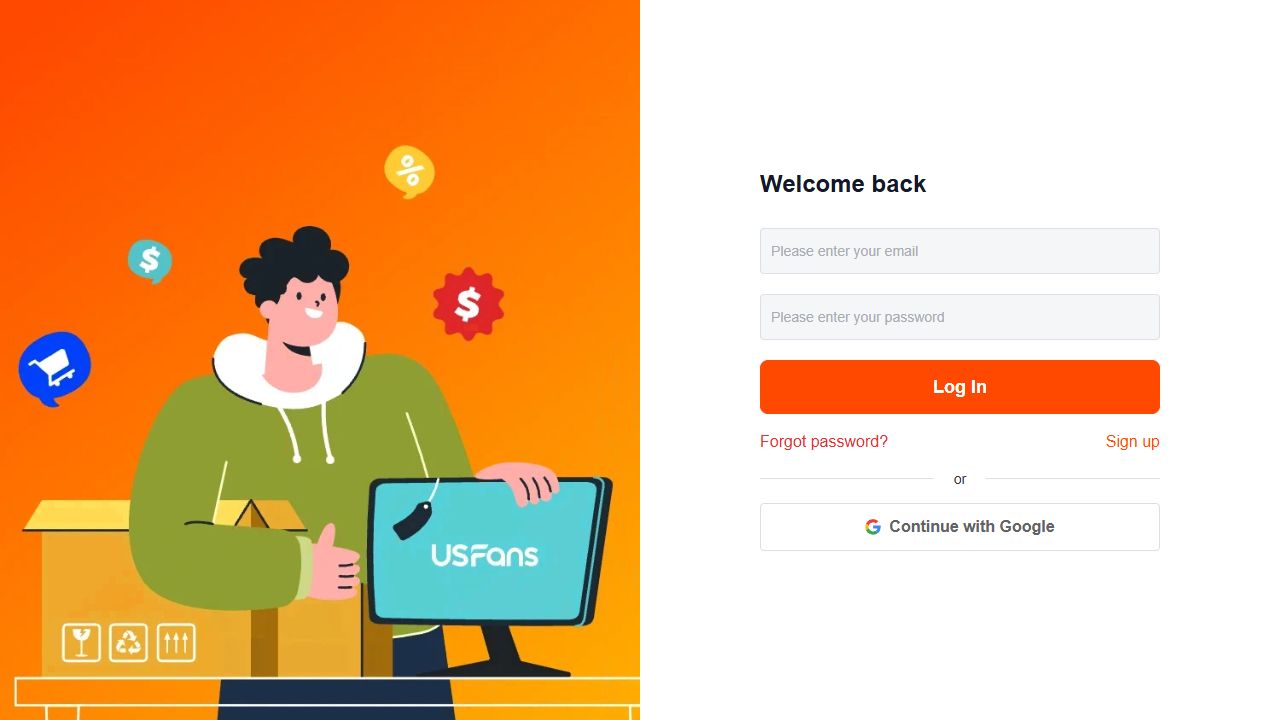
USFans' logged-out screen reached via Affiliate on 1 October 2026 displayed separate Forgot password and Sign up controls, along with email/password and Continue with Google. Choose the route that belongs to the original account. Seeing the controls does not establish that two sign-in methods share one order history.
Identify the account without exposing it
Check the sign-in method and identifier you previously used. If you have more than one email address or an already signed-in session, establish which account contains the relevant orders before assuming information has disappeared.
Keep passwords, recovery links and verification codes private. When describing the issue publicly, remove account identifiers as well as any order or address information visible in the same screenshot. The safety guide explains how to distinguish a familiar-looking message from a verified destination.
Record the failure before trying unrelated changes
Retain the exact message, the action that produced it and the time. Distinguish a page that never loads from a rejected sign-in, a verification request or a stated account restriction. Do not describe all of them as the same password problem.
Check for simple input mistakes without repeatedly guessing credentials. If the interface states a retry limit or waiting period, follow it. Avoid cycling through multiple tabs and accounts until you can no longer tell which attempt produced which result.
Before clearing stored browser data, consider whether you would lose an active session or unsaved information. A generic troubleshooting step should not become an automatic way to remove the only working access you still have.
Use the recovery path for the existing account
If a recovery option is available in the current sign-in flow, use it for the account you mean to recover. Check the destination shown for any message and follow the instructions for that recovery attempt. Do not forward a recovery link to a stranger who offers to finish the process for you.
Where you no longer control the recovery destination, contact the verified support route and explain that specific issue. Do not invent a different identity or create another account as a way to bypass a restriction. The support guide helps structure a private enquiry without publishing sensitive details.
This guide does not assume that every current account has the same recovery options. Follow the actual account flow rather than expecting a menu label from someone else's screenshot.
A frozen-account message needs its own question
If the message says the account is frozen or restricted, preserve the wording and ask support which account action is required. Do not assume it means a forgotten password, a lost parcel or a confirmed security incident.
Include only the relevant account information through the verified private channel. Ask how the restriction affects existing orders, stored items or pending requests if those matters apply to you. An unresolved account message should not lead you to make duplicate purchases elsewhere in the same service.
Registration and deletion are separate decisions
For a new registration, verify the destination and the information requested before submitting it. Retain control of the contact method used for the account. Do not mistake an invitation promotion for a requirement to disclose credentials to the person sharing it; the coupon guide separates invitation benefits from account access.
For an account-deletion request, first identify the orders, warehouse items, support cases and records you still need. Ask about the current process and its consequences for your account before confirming an irreversible action. Signing out or removing an app is not itself proof that an account has been deleted.
Do not assume that requesting deletion completes a refund, cancels a parcel or closes an unresolved purchase. Those questions need their own confirmation.
Keep saved finds separate from account recovery
Your USFans spreadsheet can retain product candidates independently of private account records. A product link may help you recognise a planned purchase, but it cannot restore the order history of an inaccessible account.
Review this T-shirt's product details on OG
If you continue browsing while access is unresolved, label a candidate as a candidate in your own notes rather than assuming it was successfully ordered. The spreadsheet guide follows the distinction between saving an item and completing purchase stages.
Account-access questions
Should I register again if my orders are missing?
First check whether you are in the intended existing account and ask about the missing records. A new registration does not establish what happened to orders in another account.
Does a restriction mean my parcel is lost?
No such conclusion follows from the account message alone. Investigate access and the parcel's actual records separately.
What should I send support?
Explain the action, exact error and relevant timing through the verified channel. Never send your password or one-time access code as part of a general troubleshooting explanation.